Device Visibility Issues on macOS 26
Q: Why are my devices not appearing in Dante Controller on macOS 26?
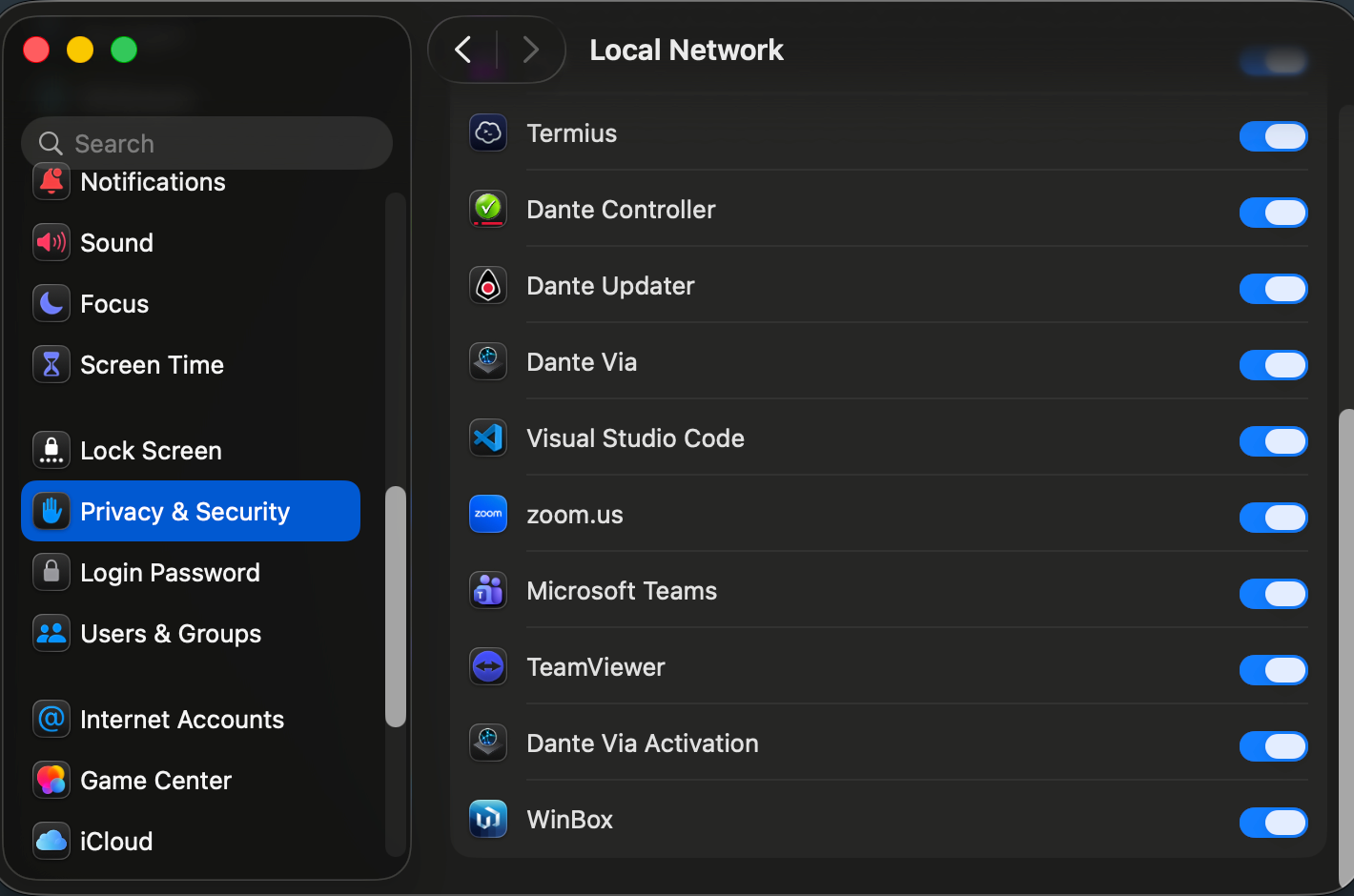
A: In macOS 26, local network security permissions are strictly enforced. Even if your hardware is correctly connected, Dante Controller requires explicit permission to communicate with other devices on your network. If this permission is disabled, your routing grid will appear empty.
Q: How do I fix this?
To restore visibility to your Dante network, please follow these steps:
- Open the Apple Menu > System Settings.
- On the sidebar, click on Privacy & Security.
- Scroll down and select Local Network.
- Locate Dante Controller in the list of applications.
- Ensure the toggle switch is turned ON.
- Restart Dante Controller for the changes to take effect.